

Your first invoice
This walkthrough builds the invoice sample from the Papyra.Samples repository. It touches most of the API you’ll use day to day.
This is the actual PDF the sample renders - every snippet below is a piece of it:
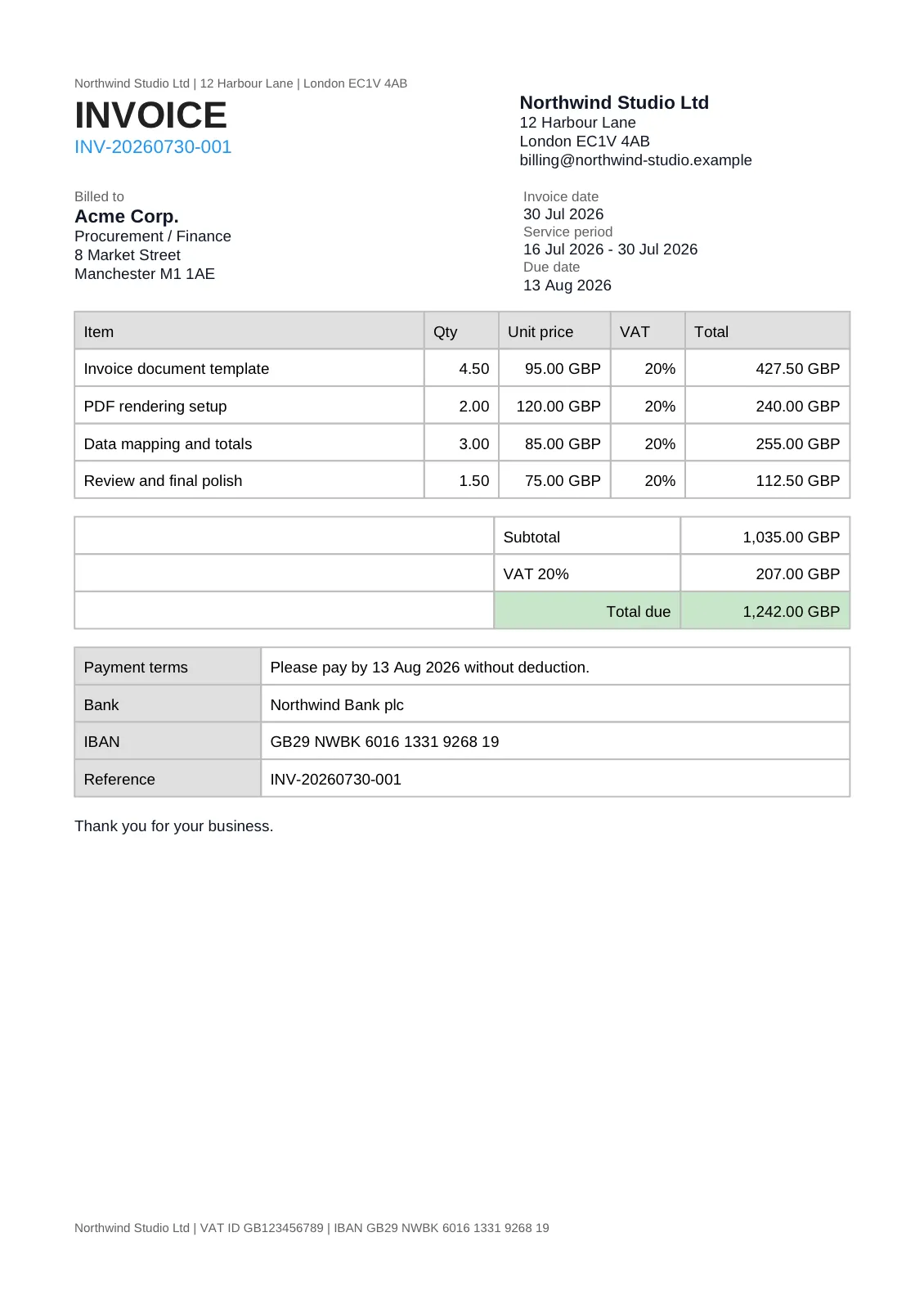
1. Page setup, header, and footer
Section titled “1. Page setup, header, and footer”doc.PageSize(PageSize.A4) .Margin(new Thickness(48f, 48f, 48f, 48f)) .Header(h => h.Text("Northwind Studio Ltd | 12 Harbour Lane | London EC1V 4AB", Small)) .Footer(f => f.Text("Northwind Studio Ltd | VAT ID GB123456789 | IBAN GB29 …", Small));The header and footer paragraphs repeat on every page. Small here is a reusable style constant - defining your styles once keeps the composition readable:
private static readonly TextStyle Small = new(FontSize: 7.5f, Color: Colors.Grey.Darken1);private static readonly TextStyle Title = new(FontSize: 26f, FontWeight: FontWeight.Bold);private static readonly TextStyle Section = new(FontSize: 12f, FontWeight: FontWeight.Bold);private static readonly TextStyle Label = new(FontSize: 8f, Color: Colors.Grey.Darken1);private static readonly TextStyle Body = new(FontSize: 10f);2. The letterhead: two columns
Section titled “2. The letterhead: two columns”Row places items side by side. Relative items share the remaining width by weight; fixed items get exactly the width you ask for.
doc.Row(row => row .RelativeItem(left => left .Text("INVOICE", Title) .Text("INV-20260709-001", new TextStyle(FontSize: 12f, Color: Colors.Blue.Medium)), weight: 1.35f) .RelativeItem(right => right .Text("Northwind Studio Ltd", Section) .Text("12 Harbour Lane", Body) .Text("London EC1V 4AB", Body), weight: 1f));3. Address and date blocks
Section titled “3. Address and date blocks”doc.Row(row => row .RelativeItem(left => left .Text("Billed to", Label) .Text("Acme Corp.", Section) .Text("8 Market Street", Body) .Text("Manchester M1 1AE", Body), weight: 1.2f) .FixedItem(210f, right => right .Text("Invoice date", Label) .Text("09 Jul 2026", Body) .Text("Due date", Label) .Text("23 Jul 2026", Body)));4. The line-item table
Section titled “4. The line-item table”doc.Table(table =>{ table.Columns(columns => columns .FixedColumn(225f) // description .FixedColumn(48f) // quantity .FixedColumn(72f) // unit price .FixedColumn(48f) // tax rate .RelativeColumn()); // total takes the rest
table.Header(row => row .Cell("Item", TableHeader) .Cell("Qty", TableHeader) .Cell("Unit price", TableHeader) .Cell("VAT", TableHeader) .Cell("Total", TableHeader));
foreach (var item in invoice.Items) { table.Row(row => row .Cell(item.Description, Cell) .Cell(Format.Quantity(item.Quantity), NumericCell) .Cell(Format.Money(item.UnitPrice), NumericCell) .Cell(Format.Percent(item.TaxRate), NumericCell) .Cell(Format.Money(item.NetTotal), NumericCell)); }});The header row repeats on every page the table spans (that’s the TableRowRepeat.EveryPage default). Cell styles carry padding, borders, backgrounds, and alignment:
private static readonly CellStyle TableHeader = new(    Padding: new Thickness(8f, 6f),    Border: new CellBorder(0.75f, Colors.Grey.Lighten1),    BackgroundColor: Colors.Grey.Lighten3);
private static readonly CellStyle Cell = new(    Padding: new Thickness(8f, 6f),    Border: new CellBorder(0.75f, Colors.Grey.Lighten1));
private static readonly CellStyle NumericCell = new(    Padding: new Thickness(8f, 6f),    Border: new CellBorder(0.75f, Colors.Grey.Lighten1),    HorizontalAlignment: TextAlignment.Right);
5. Render everything
Section titled “5. Render everything”var document = Document.Create(doc => Compose(invoice, doc));
byte[] pdf = document.RenderAsPdf();byte[] docx = document.RenderAsDocx();byte[] xlsx = document.RenderAsXlsx();The same composition produces a paginated PDF/A file, an editable Word document, and a spreadsheet. Here are the Word and Excel outputs of the exact same composition, rasterized with LibreOffice:
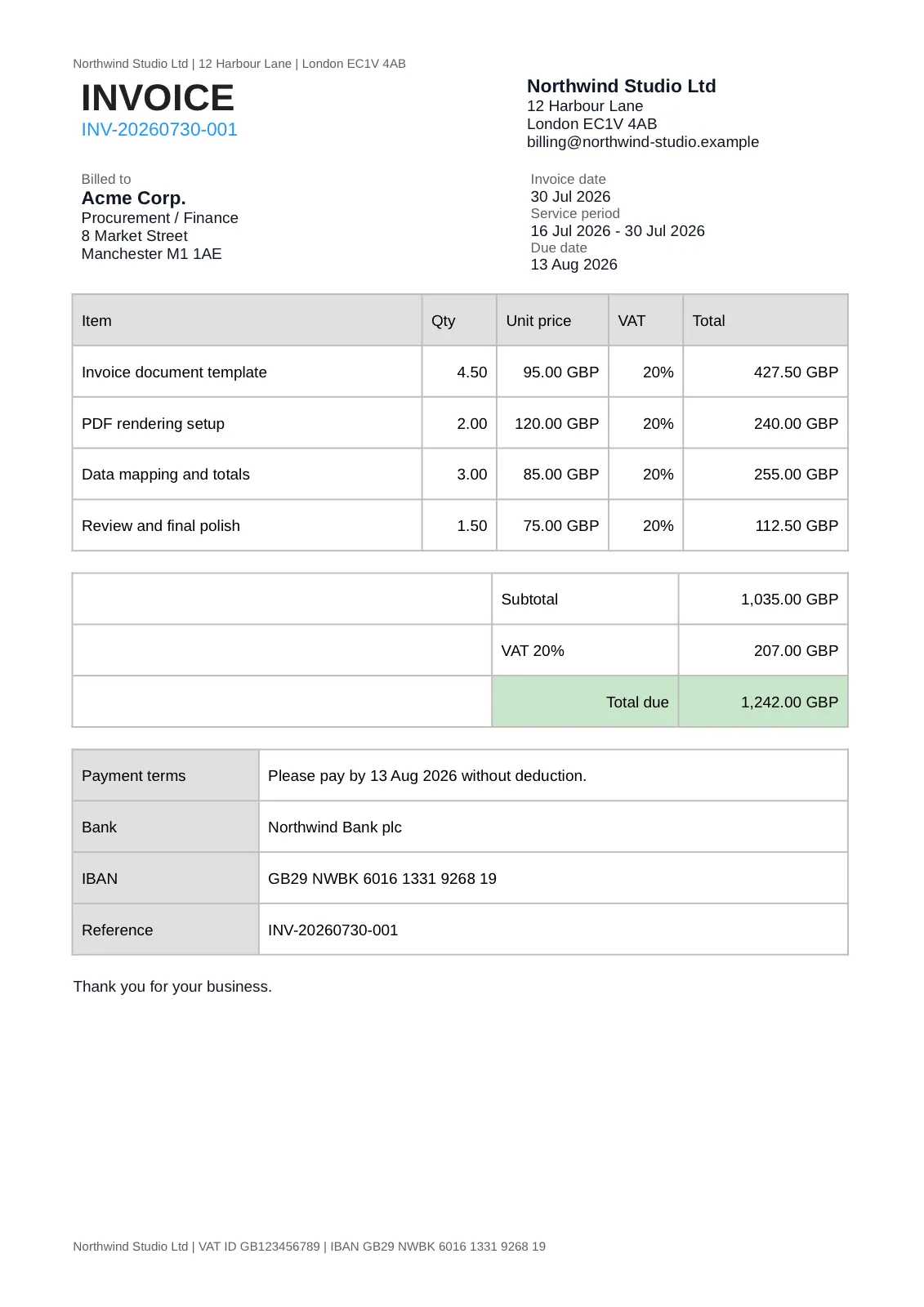
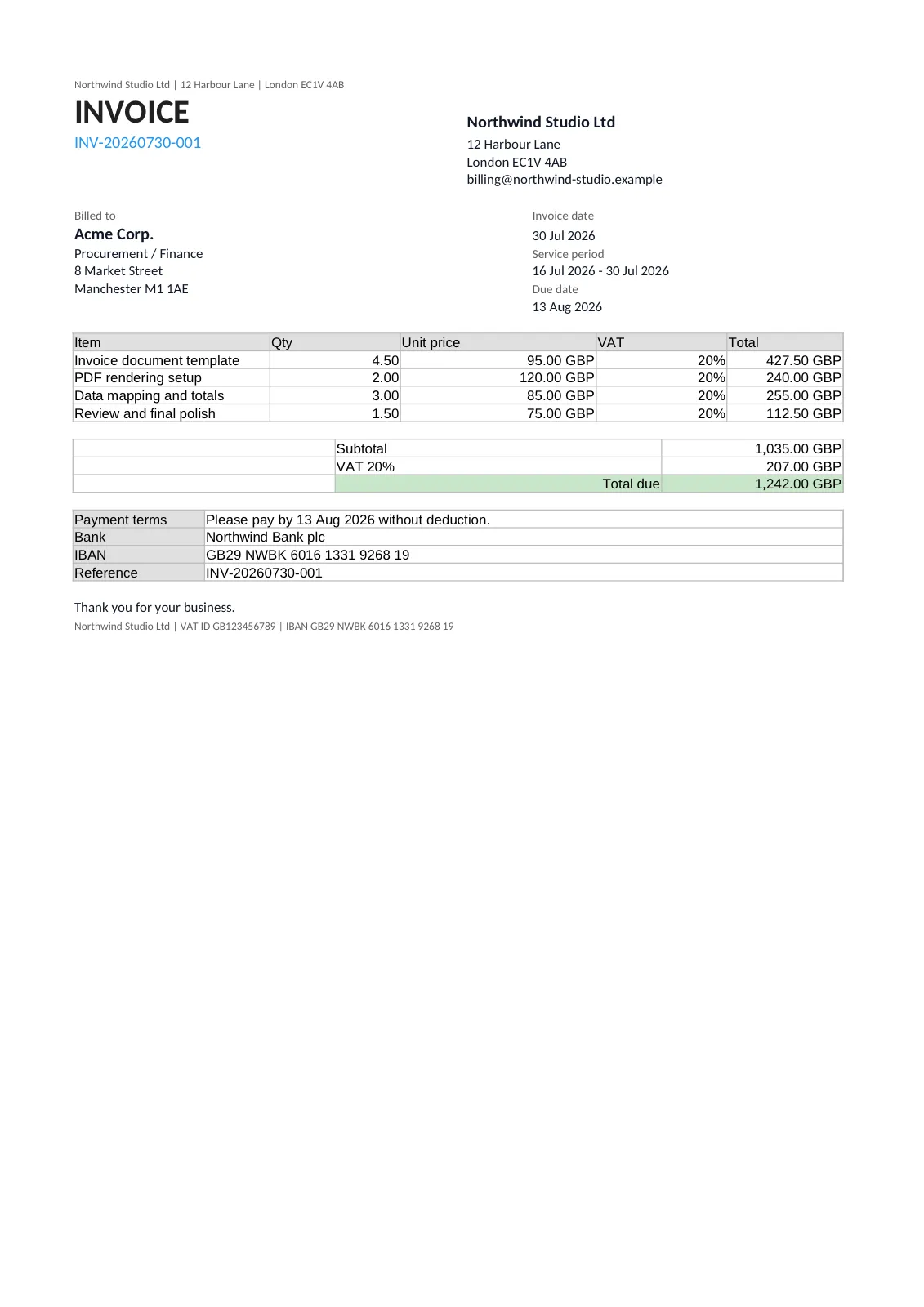
What differs per format is listed in the feature support matrix.
Run the real thing
Section titled “Run the real thing”The complete, runnable version - with totals table, payment details, and sample data - is in the Papyra.Samples repository, alongside the identical invoice built with QuestPDF for comparison. See also coming from QuestPDF.
© 2026 Stefan Nikolei. Payments are processed by Paddle.com as merchant of record.